Rules Terms
Published: 2022-10-04 Revised: 2026-01-16
Note: If you are unsure about how to manage rules in Chateau, please contact our Support Team. We can draft a template with your requested rule specs, and after receiving your approval, enter the template into the database.
| Term | Definition |
|---|---|
| Rules | A rule is a set of user-defined specifications that include leak definitions, response ranges, and monitoring frequencies. Exemptions and initial or delayed monitoring requirements are sometimes added too. These specifications can be drawn from not only regulations but also consent decrees, permits, and internal rules. You can have more than one rule for a single regulation—e.g., if an interpretation of the regulation changes or you want some of the LUnits covered by that regulation on a skip frequency. A rule can only have one regulation. The Rules tab enables you to view, edit, add rules, and organize imports and exports. |
| Regulations | The regulatory requirements you comply with; e.g., HON, GGG, Permits, Consent Decrees, OOOOa, etc. |
| Rules Engine | A part of Chateau Services which applies rules to the components in the database. The Rules Engine is run automatically at 4:00 AM (04:00) every day. |
| Applied Rules | The Rules currently applied to your LUnits. |
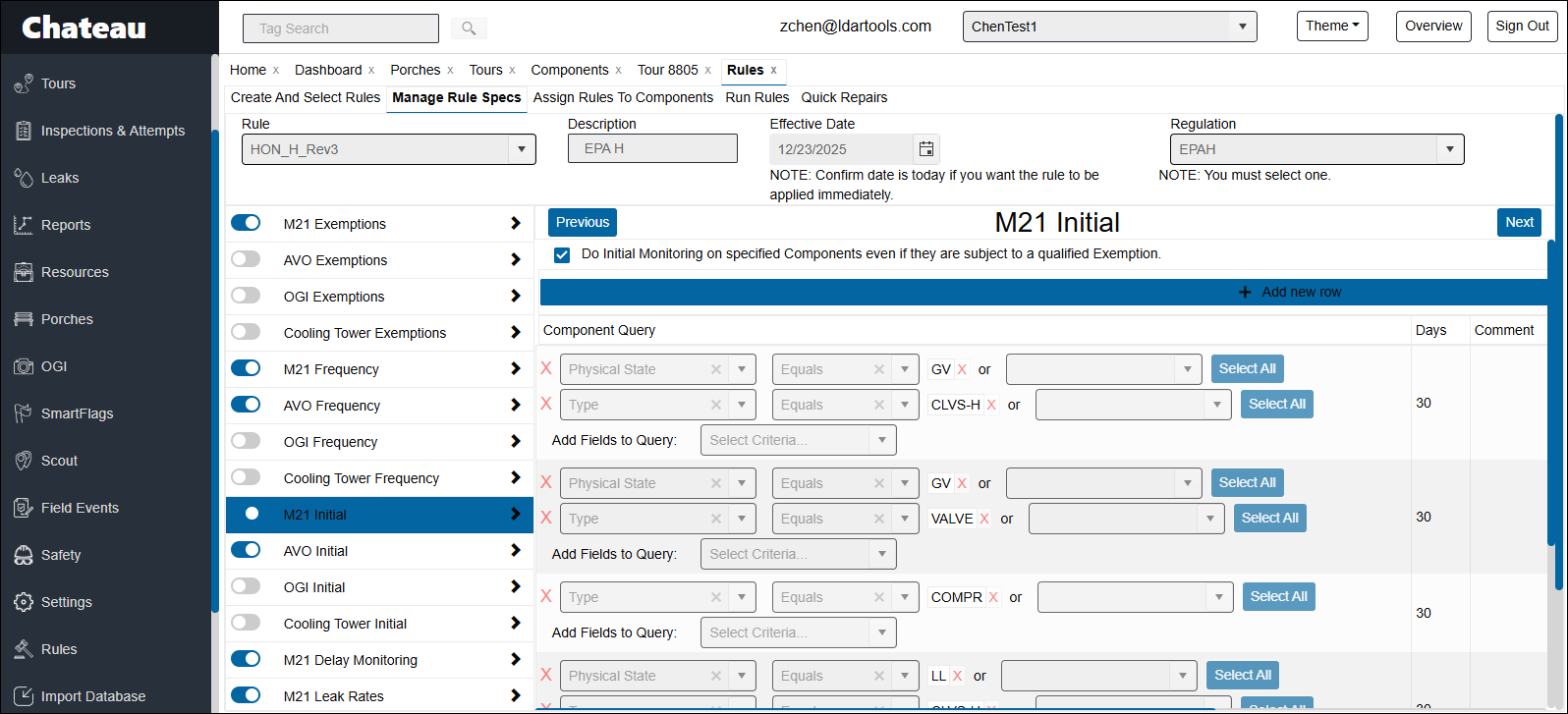
| M21/AVO/OGI/Cooling Tower Initial | Initial monitoring requirement, regulation, or rule. These modules support assignment based on all component properties. You can build queries using any combination of component fields to precisely define your initial monitoring requirements. Exemptions in both M21/AVO Frequency and M21/AVO Exemptions will result in the specified components being exempted in initial inspections, unless you check "Do Initial Monitoring on specified Components even if they are subject to a qualified Exemption." |
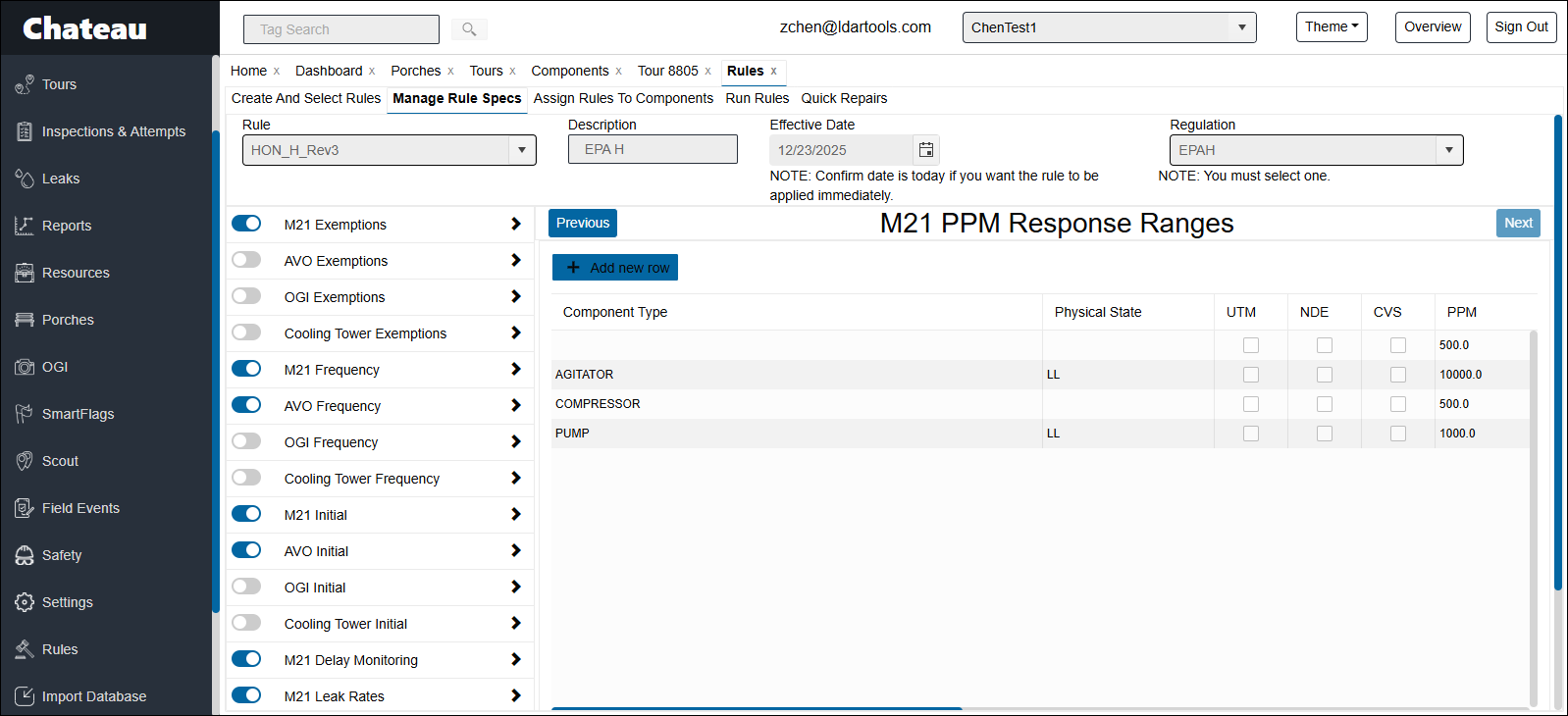
| M21 PPM/OGI/Cooling Tower Response Ranges | When the recorded PPM for certain components are over the set limit, leak responses will be triggered over these components. Chateau separates M21 PPM Response Ranges from Leak Rates because in some regulations the response deadline varies depending on how high the PPM is. You can enter multiple response ranges for the same component expression; e.g., LL Valve over 500 PPM: 5/5/15, LL Valve over 10,000 PPM: 3/3/3. Each response range added gives you the option to index First Retest and Final Resolution deadlines on the date of the First Repair Attempt (e.g., for OOOOb compliance). If the option was checked, the First Retest and Final Resolution fields will display "TBA" until the First Repair Attempt is recorded. The response deadlines can be set either as Business Days or Calendar Days. If the deadlines were set as Business Days, days that are not your configured business days and the days you designated as holidays will not be counted. Business Days & Holidays (June 2026): You can now manage your own business-day calendar under Settings > Business Days & Holidays — choose which weekdays count as business days, and add your company's holidays from the US federal holiday presets or as custom dates. Editing the calendar requires the Settings and Resource Management role. Changes apply to future deadline calculations only; deadlines that have already been computed are not recalculated. |
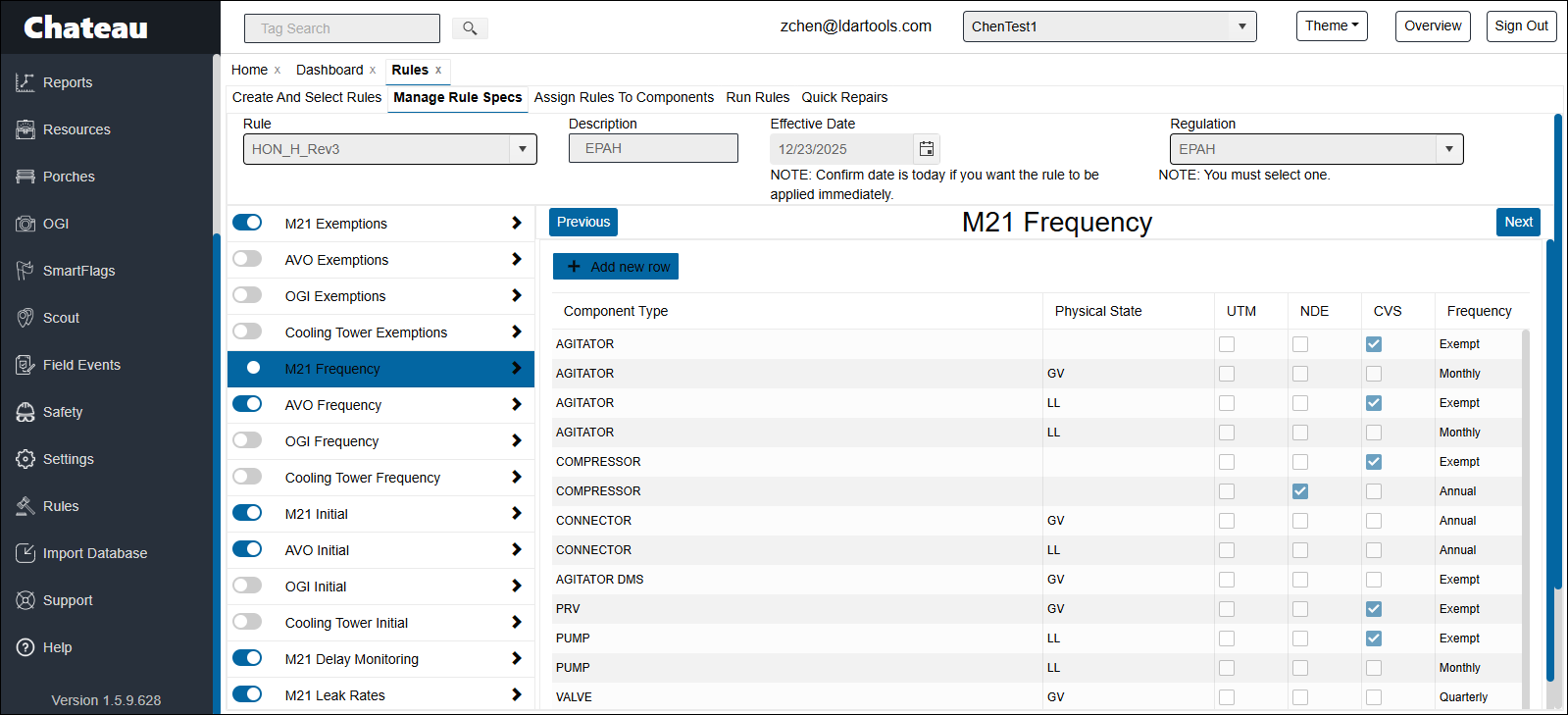
| M21/AVO/OGI/Cooling Tower Frequency | How often listed components will be inspected. The following frequencies are available by default: Weekly, Monthly, Bi-Monthly, MMQ, Quarterly, Semi-Annually, Annual, and Exempt. Please contact our Support Team if you need to enable a multi-year inspection frequency. |
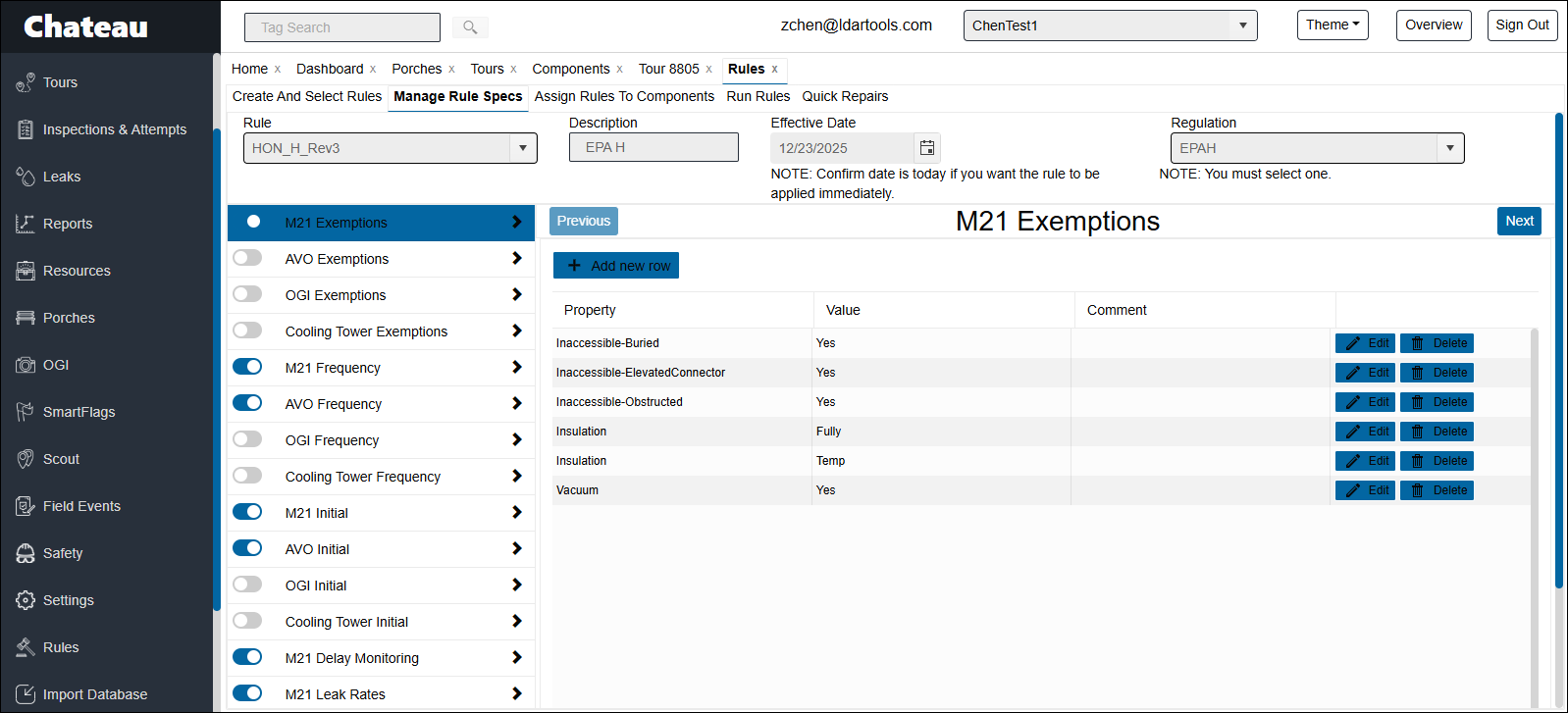
| M21/AVO/OGI/Cooling Tower Exemptions | Components with the specified properties (such as < 300 hrs, inaccessible, or fully insulated) will be exempted from M21 or AVO inspections. |
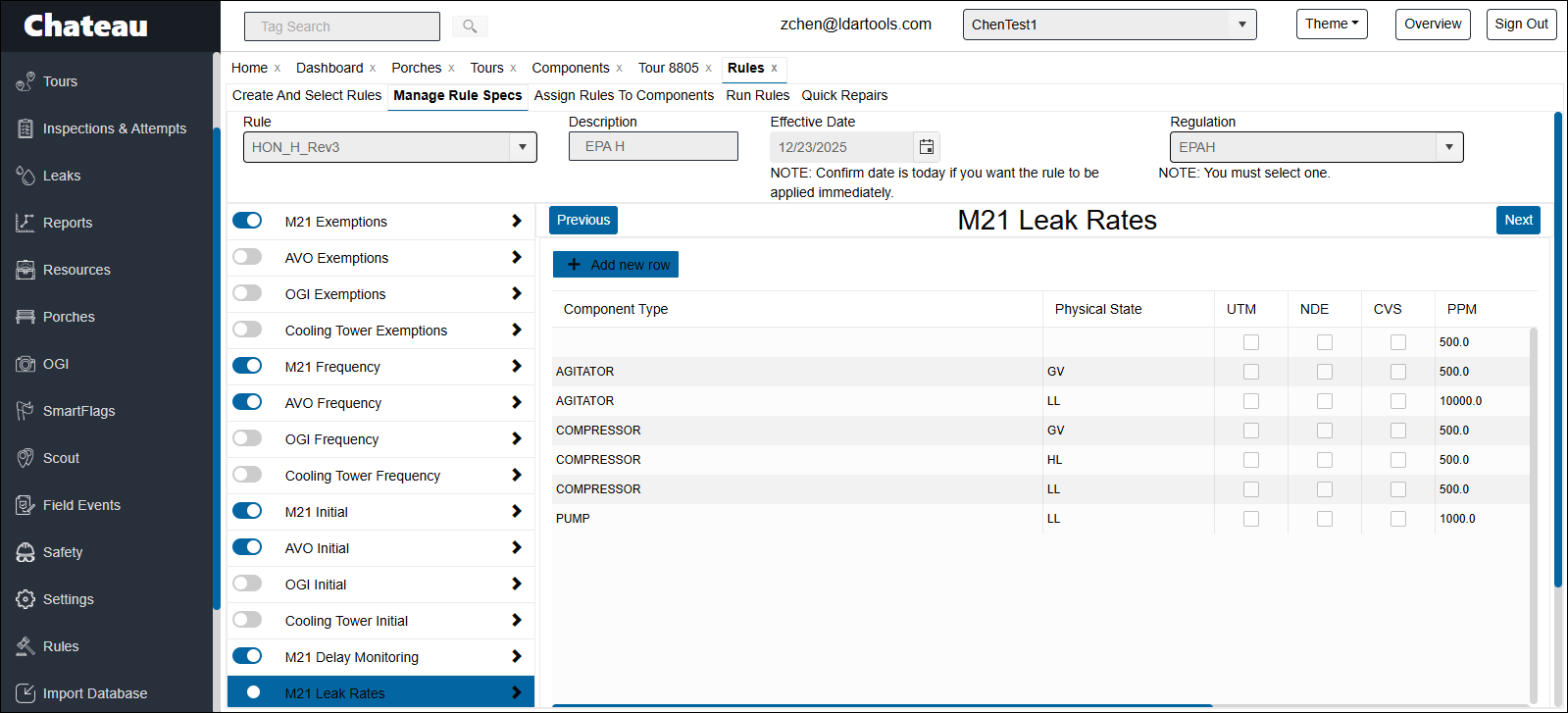
| M21/Cooling Tower Leak Rates | If an M21 inspection records a PPM over the limit set for certain components, a leak will be created in Chateau. |
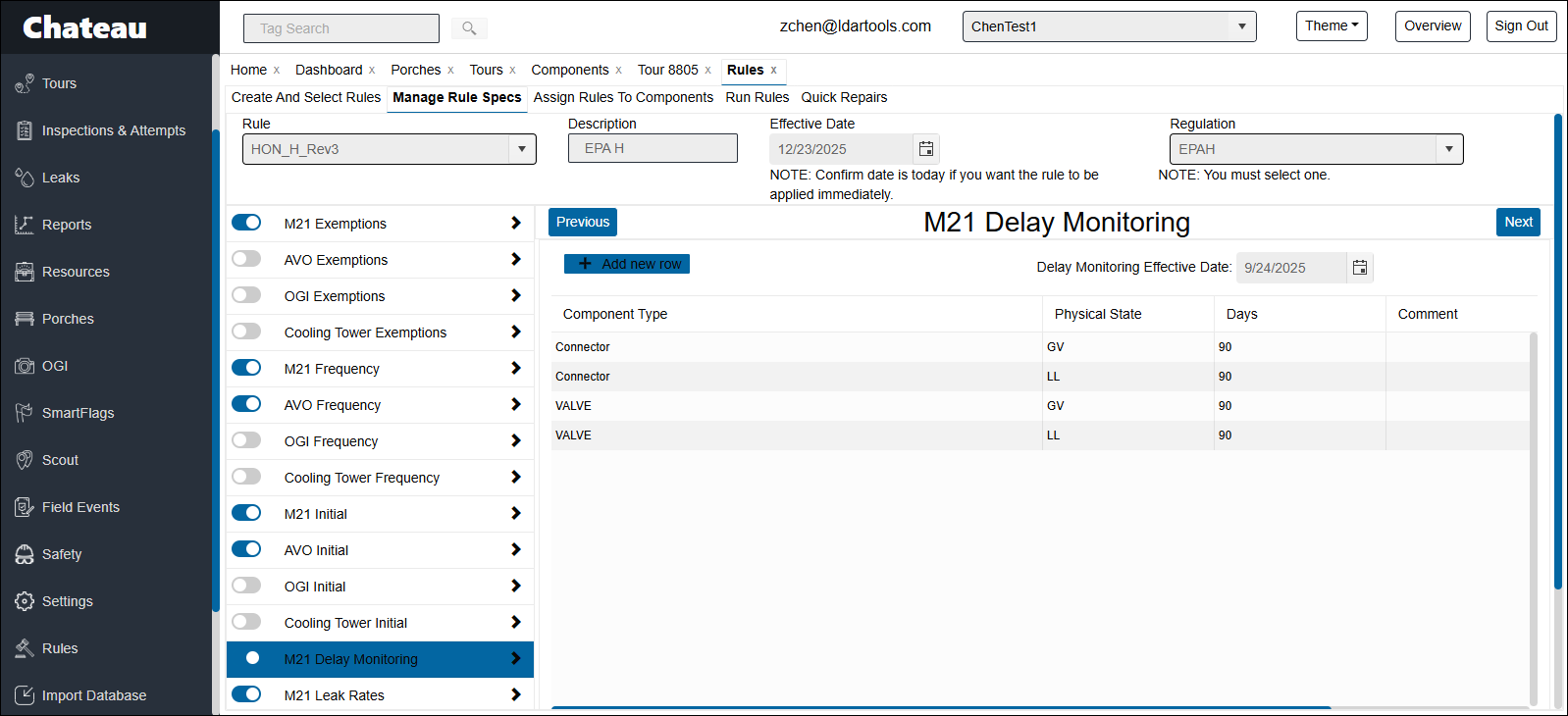
| Delayed Monitoring | One of the Follow-up monitoring types performed after a leak is identified and/or repaired. Monitoring can either be delayed 30 or 90 days after a leak has been repaired. Delay Monitoring Effective Date lets you specify a date on or after which closed leaks will trigger delayed monitoring. If you want all closed leaks currently with Delayed Monitoring scheduled on them to continue to have them schedule then set the Delayed Monitoring effective date to 90 or 30 days in the past. |