Daily Cal with Maintenance Checklist
Published: 2026-06-18 Revised: 2026-06-18
What this report does
Combines the daily calibration reading table with an analyzer self-check diagnostic section. The top portion lists every calibration reading for the selected analyzers — identical in content to the Daily Calibration report. The bottom portion contains three sections:
- Passed Self Check Items — automated self-checks reported by the analyzer that passed during the session.
- Flagged Self Check Items — self-checks that were flagged (alerts or warnings generated by the analyzer).
- Maintenance Checklist — printed checklist items for physical inspection tasks (Clean Probe Tip, Scrubber Media Inspected, Manual Check) to be verified and signed in the field.
Use this report when a combined calibration and maintenance record is needed for a single document — for instance, a Consent Decree or site-specific requirement that asks for both calibration results and evidence of physical maintenance checks. This report is in the Calibration folder on the Reports tab.
When to use it
- Producing a complete daily calibration and maintenance record for a regulatory submission or audit.
- Reviewing analyzer self-check alerts alongside calibration pass/fail results.
- Generating a printable field document with signature lines for field supervisor, site administrator, and client representative sign-off.
Parameters
| Parameter | Description | Required | How it filters |
|---|---|---|---|
| Start Date | Start of date window | Yes | Calibrations and diagnostics on or after this date are included |
| End Date | End of date window | Yes | Calibrations and diagnostics on or before this date are included |
| Analyzers | One or more analyzers to include | Yes | Only records for the selected analyzers appear |
Sections and columns
Calibration section
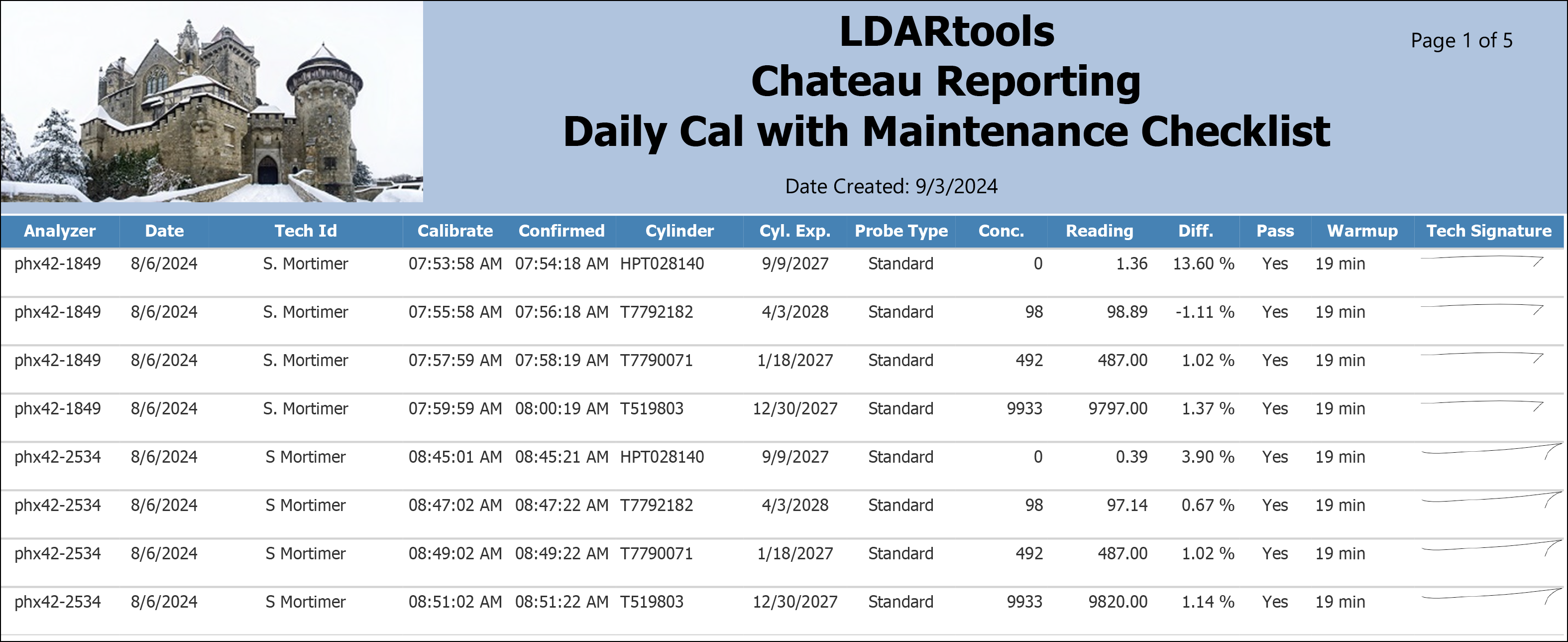
One row per gas cylinder per calibration session. Identical to the Daily Calibration report.
| Column | What it shows |
|---|---|
| Analyzer | Analyzer device name |
| Date | Date the calibration was performed |
| Tech Id | Technician who performed the calibration |
| Calibrate | Time the calibration reading began |
| Confirmed | Time the calibration reading was confirmed (end time) |
| Cylinder | Cylinder label or serial number |
| Cyl. Exp. | Cylinder expiration date |
| Probe Type | "Standard" or "Extension" |
| Conc. | Cylinder gas concentration in PPM |
| Reading | Analyzer reading in PPM |
| Diff. | Percent difference between reading and concentration |
| Pass | "Yes" or "No" |
| Warmup | Warm-up duration in minutes |
Passed Self Check Items section
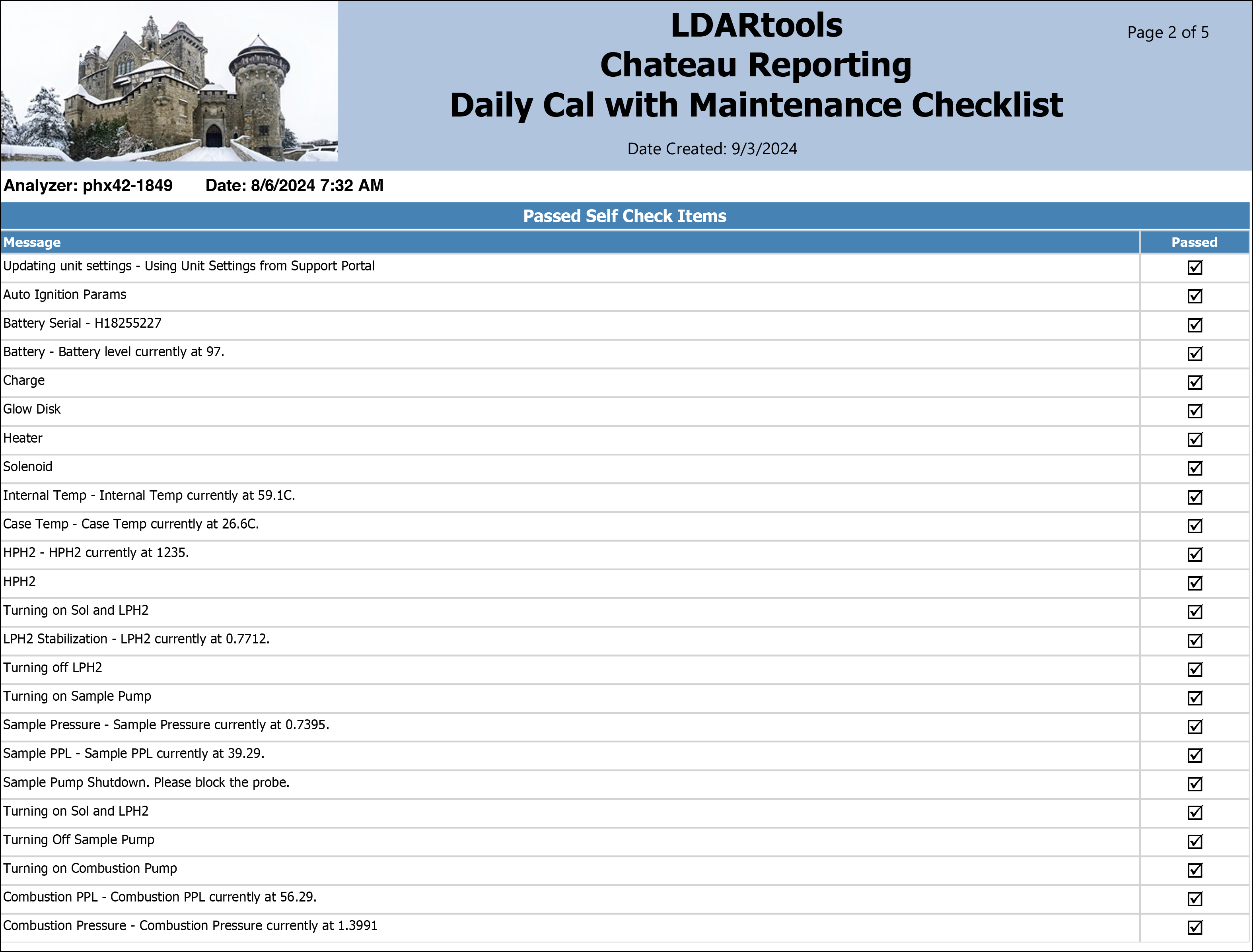
Lists automated diagnostic checks generated by the analyzer that were acknowledged as passing. One row per passed diagnostic alert.
| Column | What it shows |
|---|---|
| Message | The self-check diagnostic message from the analyzer |
| Passed | Confirmation that this item passed |
Flagged Self Check Items section
Lists diagnostic alerts that were flagged — warnings or conditions the analyzer detected that require attention. Blank when no items were flagged.
| Column | What it shows |
|---|---|
| Message | The flagged diagnostic message from the analyzer |
Maintenance checklist
Printed items at the bottom of the report for field sign-off:
- Clean Probe Tip — physical inspection of the probe tip
- Scrubber Media Inspected — verification that scrubber media is in acceptable condition
- Manual Check — any site-specific manual check item
Signature lines are provided for Field Supervisor, Site Administrator, and (optional) Client Representative.
What's included and excluded
Included:
- All daily calibration readings for the selected analyzers within the date range.
- Analyzer self-check diagnostic alerts for the selected analyzers within the date range.
Excluded:
- Analyzers not selected.
- Records outside the date range.
- Precision Calibration and Drift records (those appear in their own reports).
How key values are calculated
Diagnostic items (Passed / Flagged)
The self-check items listed under "Passed Self Check Items" and "Flagged Self Check Items" are generated automatically by the analyzer during its startup self-check sequence. Passed items are those the analyzer confirmed as acceptable; flagged items indicate a condition the analyzer detected that may need attention. These values come directly from the instrument and are not entered manually.
Calibration fields
The calibration readings, percent difference, and pass/fail status are calculated identically to the standard Daily Calibration report. See the Daily Calibration article for details.
Tips and common questions
- "The Flagged Self Check Items section is empty." No diagnostic alerts were flagged for the selected analyzers during the period. This is expected when the analyzer did not generate any warnings.
- "How is this different from the Daily Calibration report?" The calibration data is identical. This report adds the self-check diagnostic section and printed maintenance checklist. Use this report when a combined document is required; use Daily Calibration for a plain calibration record.
- "Signature lines appear blank." This report is designed to be printed; the signature fields are filled in by hand in the field. They do not pull from any database field.
- "Some self-check messages look like technical codes." The messages come directly from the analyzer's diagnostic system. Contact your analyzer support team if the meaning of a flagged message is unclear.
Sample output
Report run for Example Facility, Start Date: 8/6/2024, End Date: 8/6/2024, Analyzers: phx42-1849, phx42-2534.
Calibration section (excerpt):
Passed Self Check Items (example):
Flagged Self Check Items: (No Flagged Items)
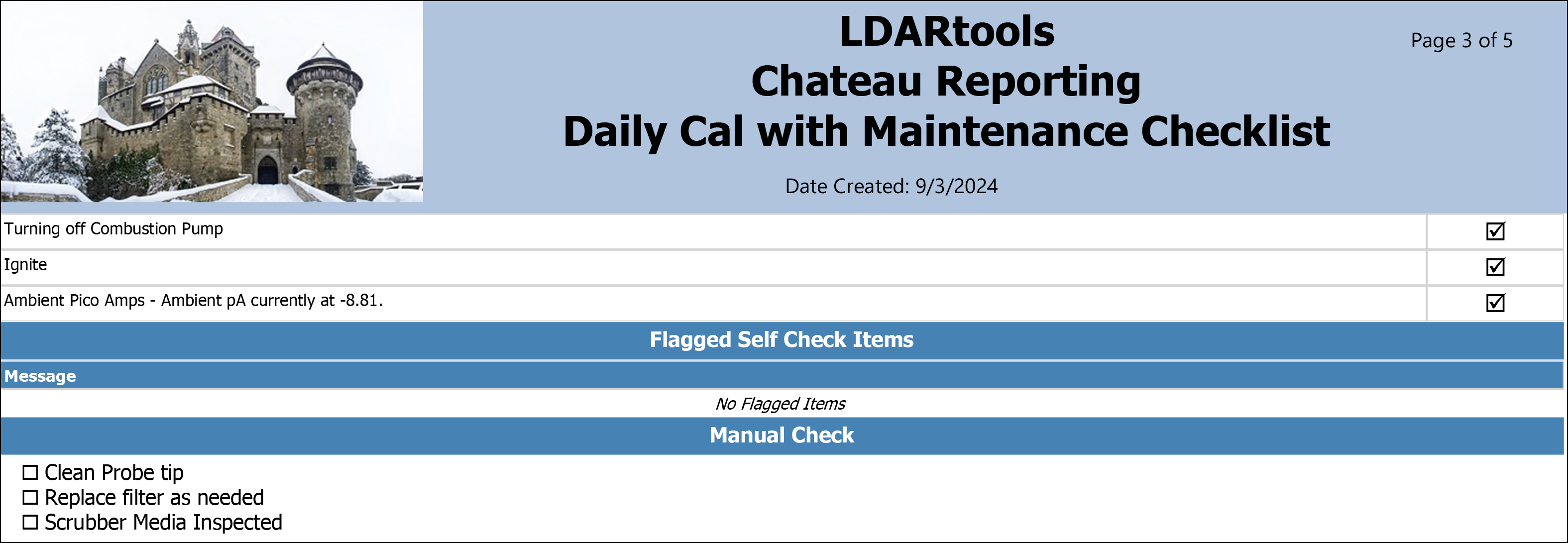
Maintenance Checklist:
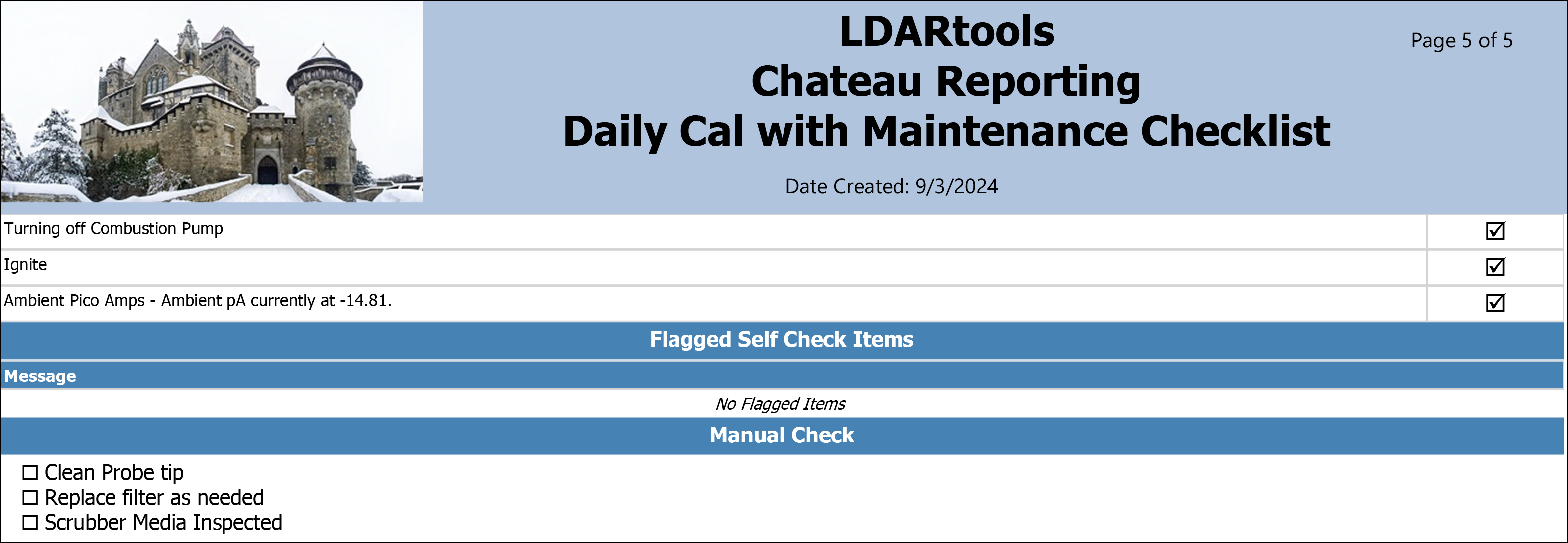
Signature lines for Field Supervisor, Site Administrator, Client Rep.
Output format
Multi-section report: calibration data table followed by diagnostic self-check sections and a printable maintenance checklist. Designed for PDF output and field printing. Also suitable for on-screen viewing and Excel export (maintenance checklist and signatures are best preserved in PDF format).
Related reports
- Daily Calibration — calibration data only, without the maintenance checklist section.
- Daily Calibration – Form 2 — calibration data with Probe Flow and Warm-Up start time.
- Analyzer Drift — drift check readings for the same analyzers and period.