License Information
Published: 2024-06-19 Revised: 2024-06-19
Note: See Majordomo Overview: Accessing Majordomo for information on Majordomo access.
On the Overview screen, license information is shown when clicking the Open button for a database. This information will be displayed in the following circumstances:
License Expiration Status
- Notification of Impending Expiration
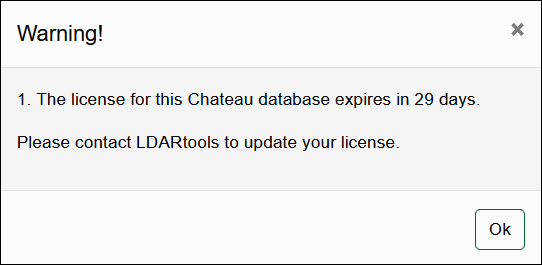
- When clicking the Open button, a prompt will appear starting 30 days before the license expiration date, informing you of the number of days remaining until the license expires.
- Users will still have access to the database during this period.
- Expired License
- Once the license has expired, the database name will be grayed out.
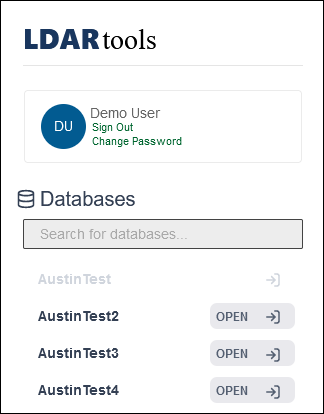
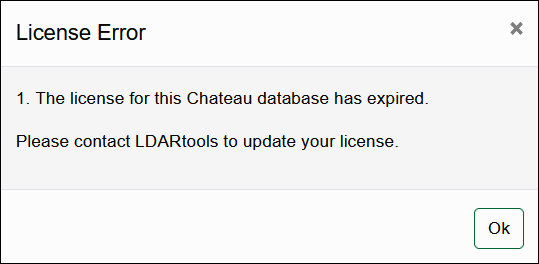
- If the Open button is pressed, a prompt will appear stating the license has expired.
- Users will be unable to access the database.
- If a user is logged in to a database when the license expires, they will be signed out.
Component Count License Status
- Licensed Component Count Notification
- Databases are licensed for a certain number of components.
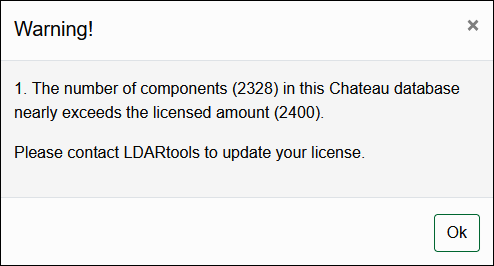
- When a database is within 100 components of its licensed component count, a prompt will appear notifying the user. The prompt will list the licensed component count and the current database component count, which includes all active and deactivated components.
- Users will still have access to the database.
- Exceeding Licensed Component Count
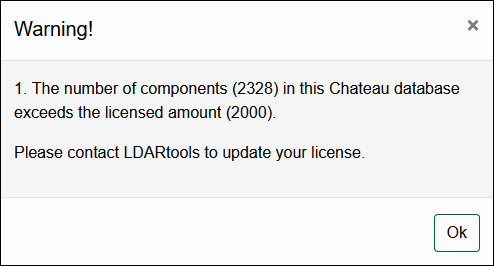
- Once the licensed component count is surpassed, a prompt will appear informing the user they have exceeded their licensed component count.
- Users will still be able to access the database.
For any further questions or assistance, please contact LDARtools Support.