Repair Attempts
Published: 2022-05-09 Revised: 2025-07-16
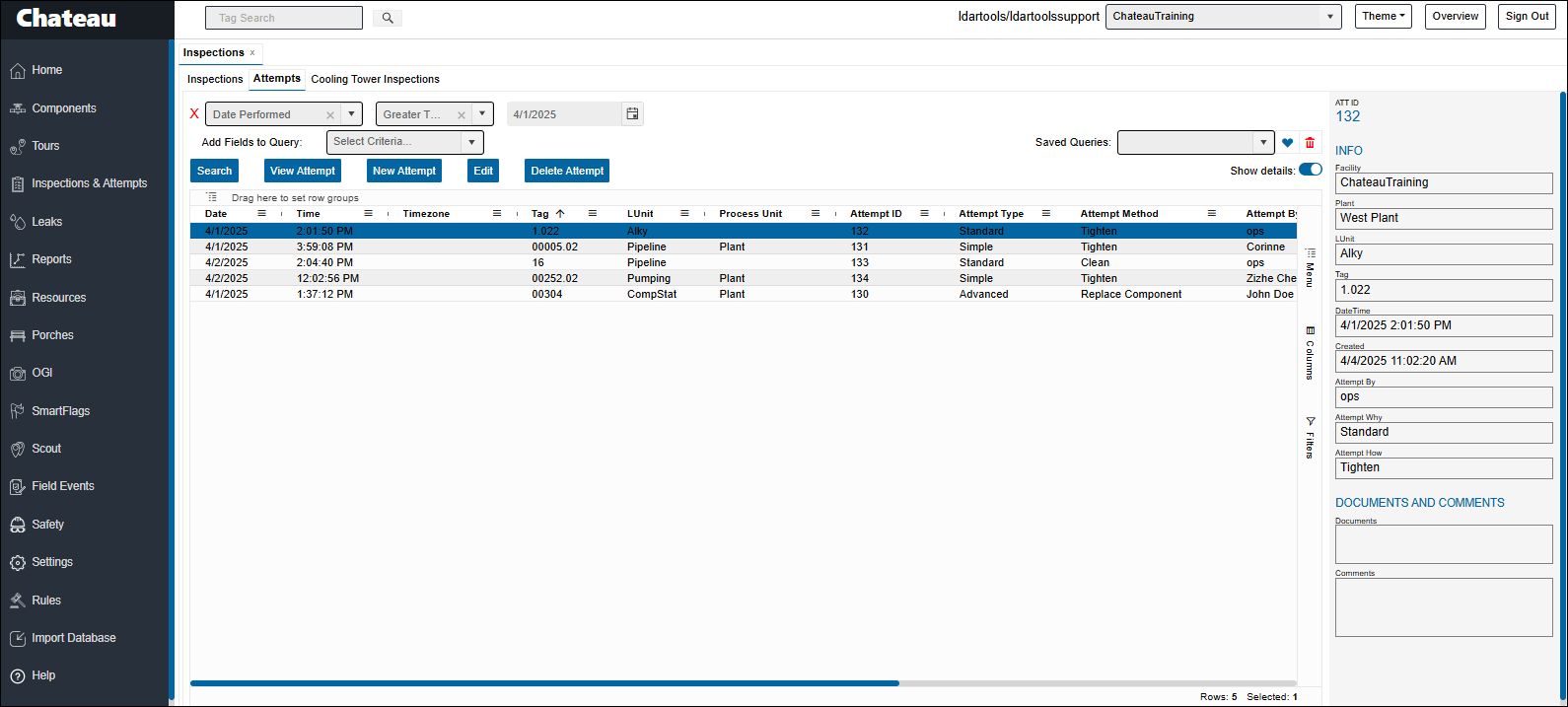
To view repair attempt information for multiple tags, go to the Inspections & Attempts tab. Enter your search criteria and click Search. Once results are displayed, select any attempt to instantly preview its summary in the panel on the right.
Use the action buttons above the grid to:
- View full attempt details
- Add a new repair attempt
- Edit an existing attempt
- Delete an attempt if necessary
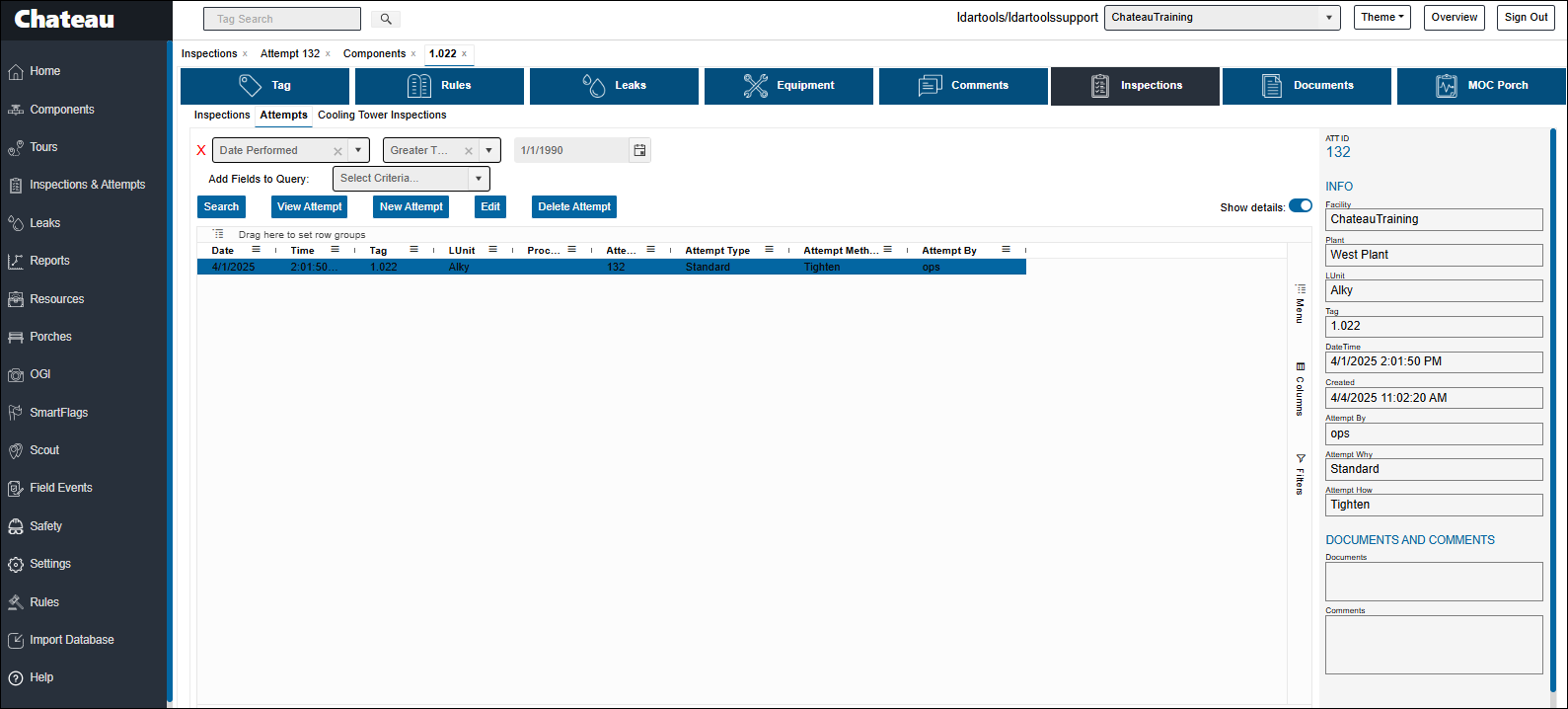
To view repair attempts for a single tag, navigate to the Tag View page. The same repair history and action options are available there as well.
| Term | Definition |
|---|---|
| Attempted by… | The person who performed the attempt. |
| AttemptHow | The specific Attempt method performed, such as Tighten, Torge, Clean, or Drill and Tap. When choosing an AttemptHow, the dropdown is not specific to the component type. |
| AttemptType | A designation describing how difficult an Attempt was: Simple: Methods such as cleaning or tightening performed by the monitoring tech. Standard: Often similar methods to Simple are involved, but performed by an experienced operator or repair crew. Advanced: Anything the component was not supposed to have happened to it in normal operation, such as Drill and Tap, or installing a clamp in some cases. Considered extraordinary in some regulations. This feature enables Chateau to track and send email alerts to confirm compliance with certain LowE, Consent Decree, and/or DOR requirements. |
| Performed On | The date on which this attempt was performed. The date performed cannot be in future. |
The interesting things about Attempts are:
- If you select the LUnit, the Plant and Facility will auto-fill.
- Note that AttemptBy is one of the view Text fields. This is because so many different folks can be involved in repairing leaks.
- You must select an Attempt type:
| Attempt Type | Description |
|---|---|
| Simple | Done by the monitoring tech. |
| Standard | Repairs neither Simple nor Advanced |
| Advanced | Repairs considered Extraordinary, such as Drill and Tap. |
- AttemptHow is a picklist. If an option you are looking for does not appear in the picklist, go to Settings > Picklists, and then edit the picklist.
- You can attach a document.
- You can attach a comment.
Note the programming comment about cycling the Attempt type to get the AttemptHow picklist to appear, if needed.