Rules and Regulations
Published: 2026-02-17 Revised: 2026-02-17
Overview
You will create a rule specifically for Cooling Tower Sample Points, as these are the components subject to routine monitoring.
Step 1: Create the Regulation and Rule
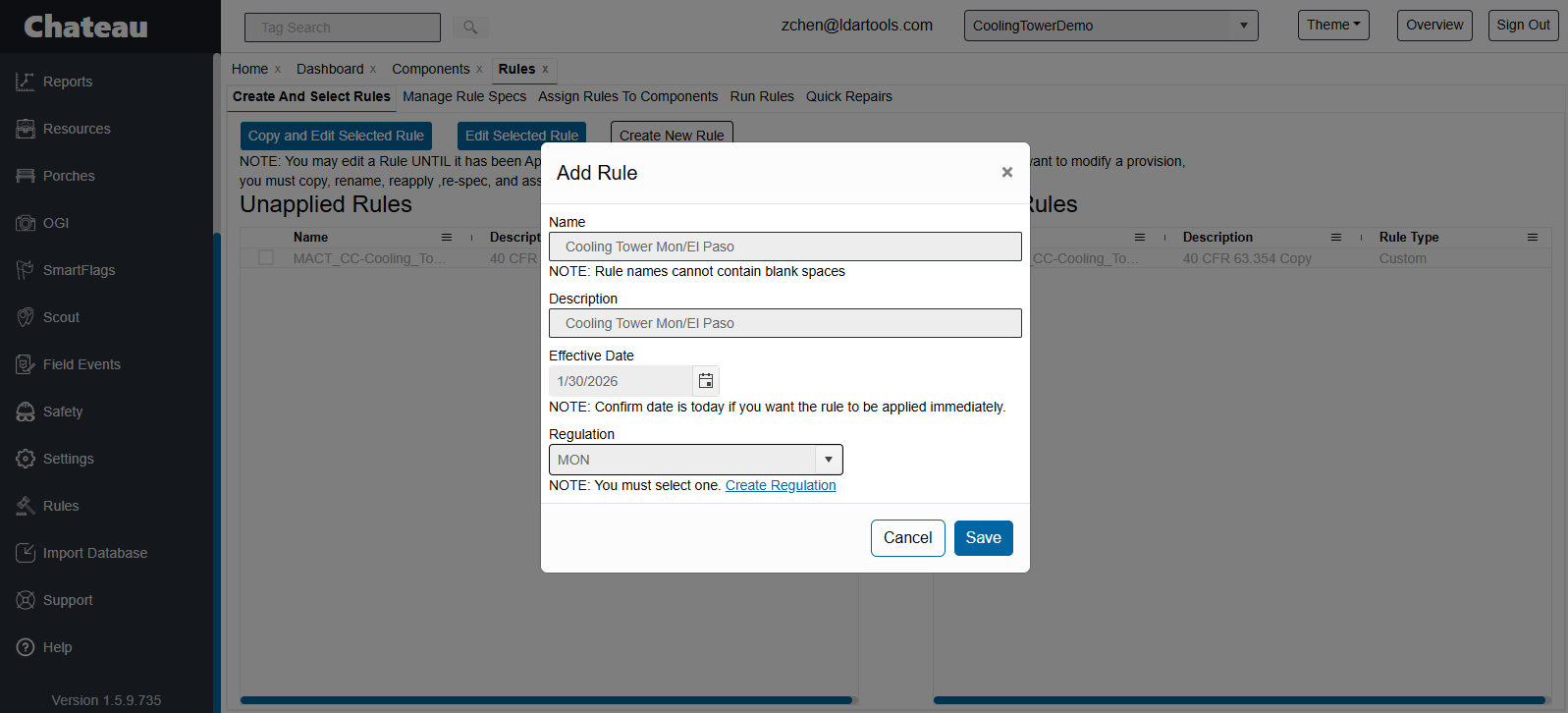
- Go to the Rules tab and click Create New Rule.
- Rule Details:
- Name: e.g., "Cooling Tower Mon/El Paso."
- Effective Date: Today or a future date.
- Regulation: Select your regulation. If it doesn't exist, click Create Regulation, name it, save it, and then select it.
- Click Save.
- Locate the rule in the Unapplied Rules list and move it to Applied Rules using the arrow button.
Step 2: Configure Rule Specifications
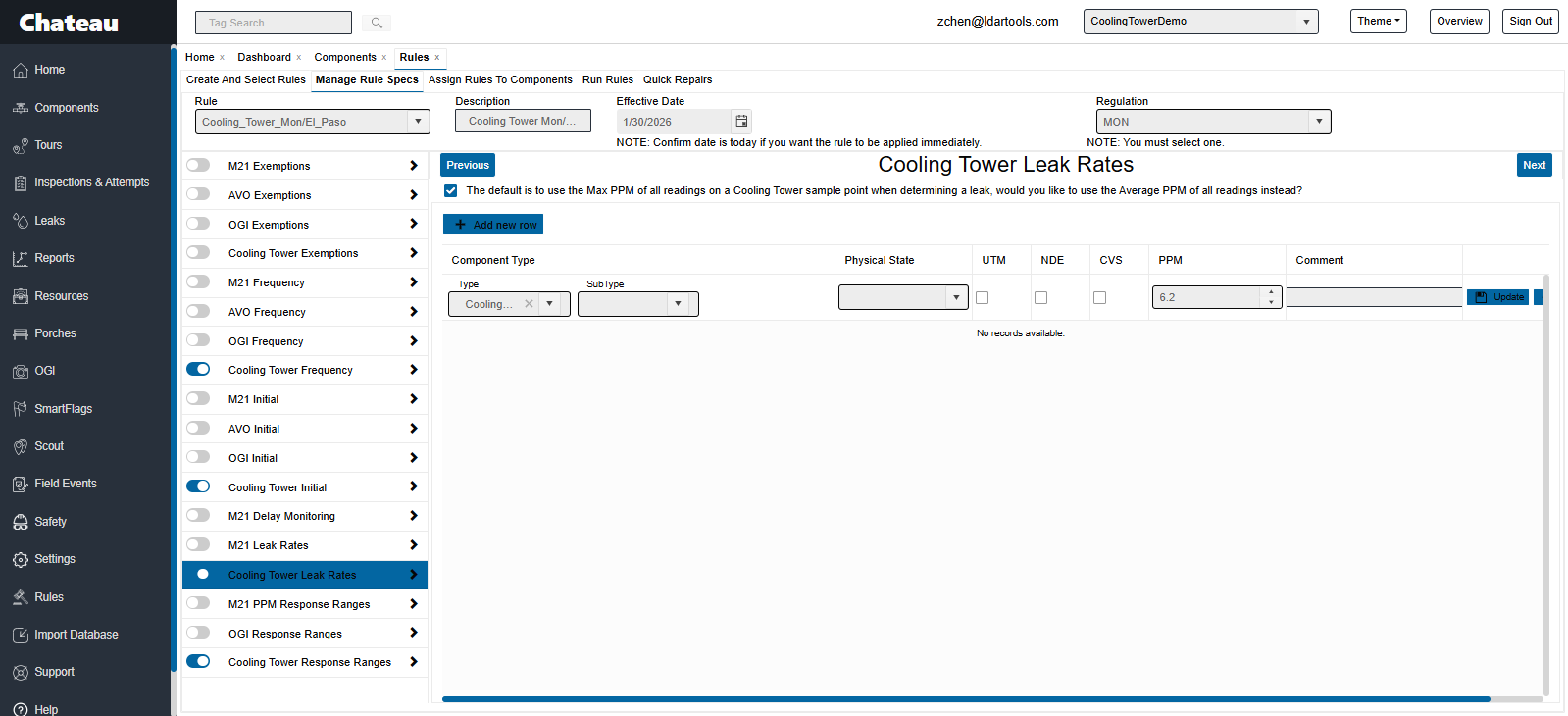
Click the Manage Rules Specs sub-tab and select your new rule. Configure the following modules:
Cooling Tower Frequency Module:
- Click Add New Row.
- Type: Cooling Tower Sample Point.
- Frequency: Select the required interval (e.g., Monthly).
- Click Update.
Cooling Tower Initial Module: (If initial inspections are required)
- Type: Cooling Tower Sample Point.
- Deadline: Select the number of days allowed for the initial inspection.
Cooling Tower Leak Rates Module:
- Calculation Method: Check the box for Average PPM or uncheck for Max PPM based on your permit/regulation.
- Type: Cooling Tower Sample Point.
- PPM Value: Enter the leak threshold (e.g., 6.2).
Cooling Tower Response Ranges Module:
- Type: Cooling Tower Sample Point.
- PPM Value: Same as the leak rate (e.g., 6.2).
- Timelines: Enter the days for First Attempt, First Retest, and Final Resolution (e.g., 45, 45, 45).
Step 3: Assign the Rule
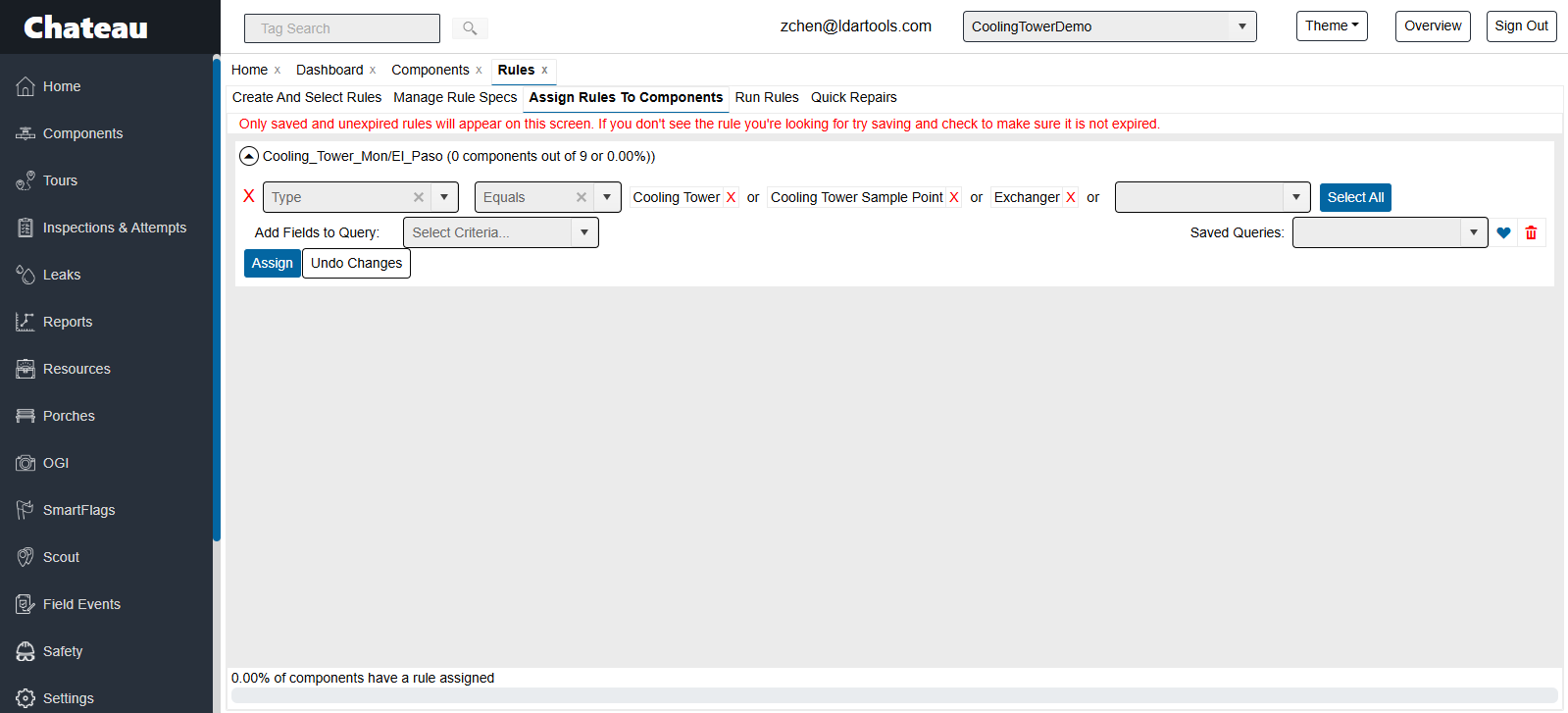
- Click the Assign Rules to Components sub-tab.
- Locate your new rule.
- In the query builder, filter for Component Type = Cooling Tower Sample Point, Exchanger, Cooling Tower.
- Click Assign.
Note: The rules engine runs nightly. Inspections will appear in the scheduler the following day.