Managing Cooling Tower Leaks
Published: 2026-02-17 Revised: 2026-02-17
Overview
When a Sample Point fails an inspection, a leak investigation workflow begins. This involves identifying the source Exchanger, repairing it, verifying the Exchanger repair, and finally re-testing the Sample Point to close the leak.
Phase 1: The Investigation (Finding the Source)
-145f6077b18c3d698d3cd055b8b2607d.png)
Once the Sample Point leak data is synced to Chateau:
- Identify Associated Exchangers:
- In Chateau, go to the Component grid.
- Filter for components linked to the leaking Sample Point.
- Build Investigation Tour:
- Select the associated Exchangers.
- Click Build Tour, select M21 - Retest, name it "Exchanger Investigation," and assign it to the technician.
- Field Investigation:
- The technician checks out their device to download the new Exchanger tour.
- They perform M21 Inspections on each Exchanger to pinpoint which one(s) are leaking.
- The technician Checks In the investigation results.
Phase 2: Repair & Verification
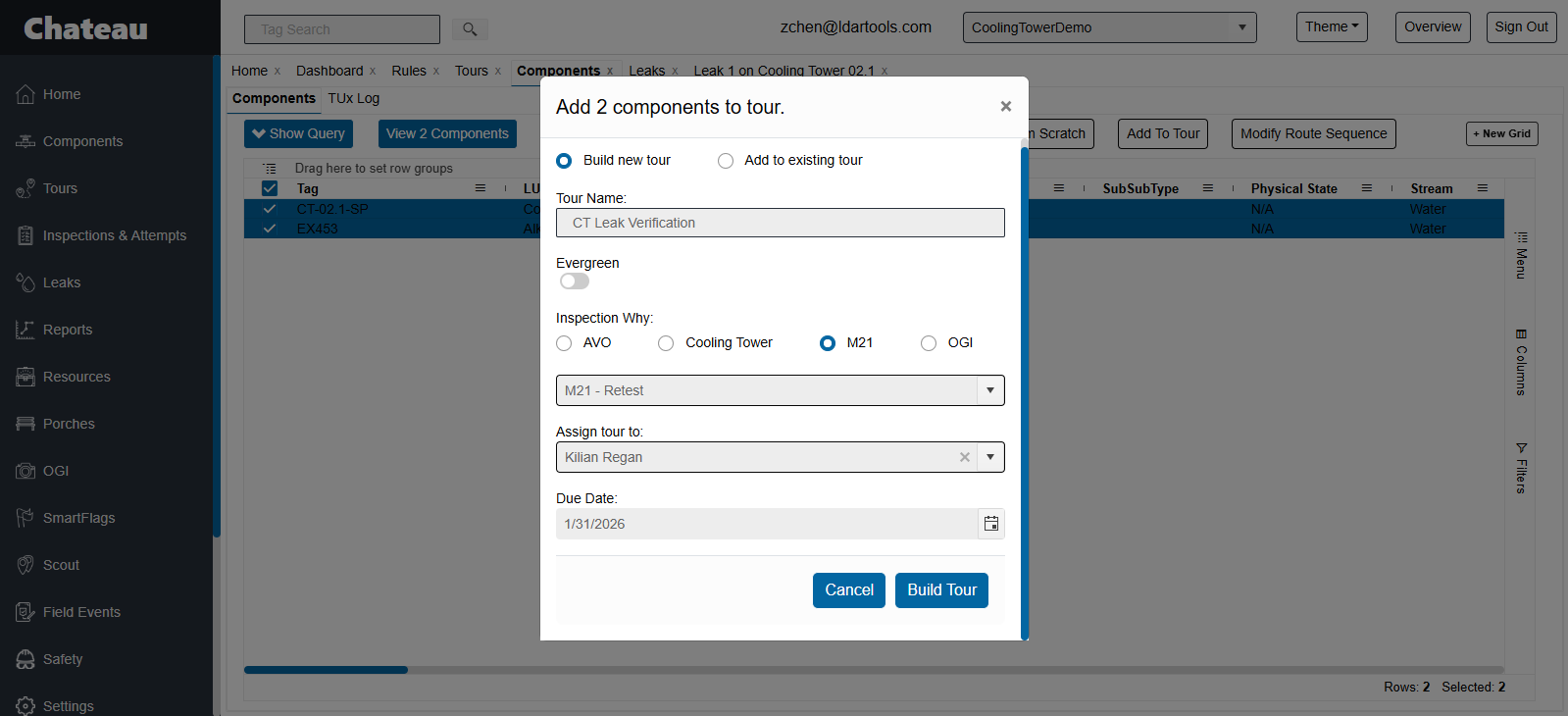
Once the specific leaking Exchanger is identified via the investigation:
- Maintenance/Repair: Maintenance teams perform the necessary repairs on the identified Exchanger(s).
- Build Verification Tour:
- Create a new tour containing the repaired Exchanger(s) AND the parent Cooling Tower Sample Point.
- Assign this tour to the technician.
- Field Verification (Exchanger):
- The technician syncs to retrieve the tour.
- They perform a follow-up M21 inspection on the Exchanger to verify the repair was successful.
- Field Verification (Sample Point):
- Crucial Step: Once the Exchanger passes, the technician must perform a full Cooling Tower Inspection on the Sample Point itself (following the procedure in Performing Inspections (Chateau Mobile)).
- This confirms the repair effectively stopped the leak from reaching the cooling water stream.
- Sync: The technician Syncs/Checks In the final results.
Phase 3: Documentation & DOR
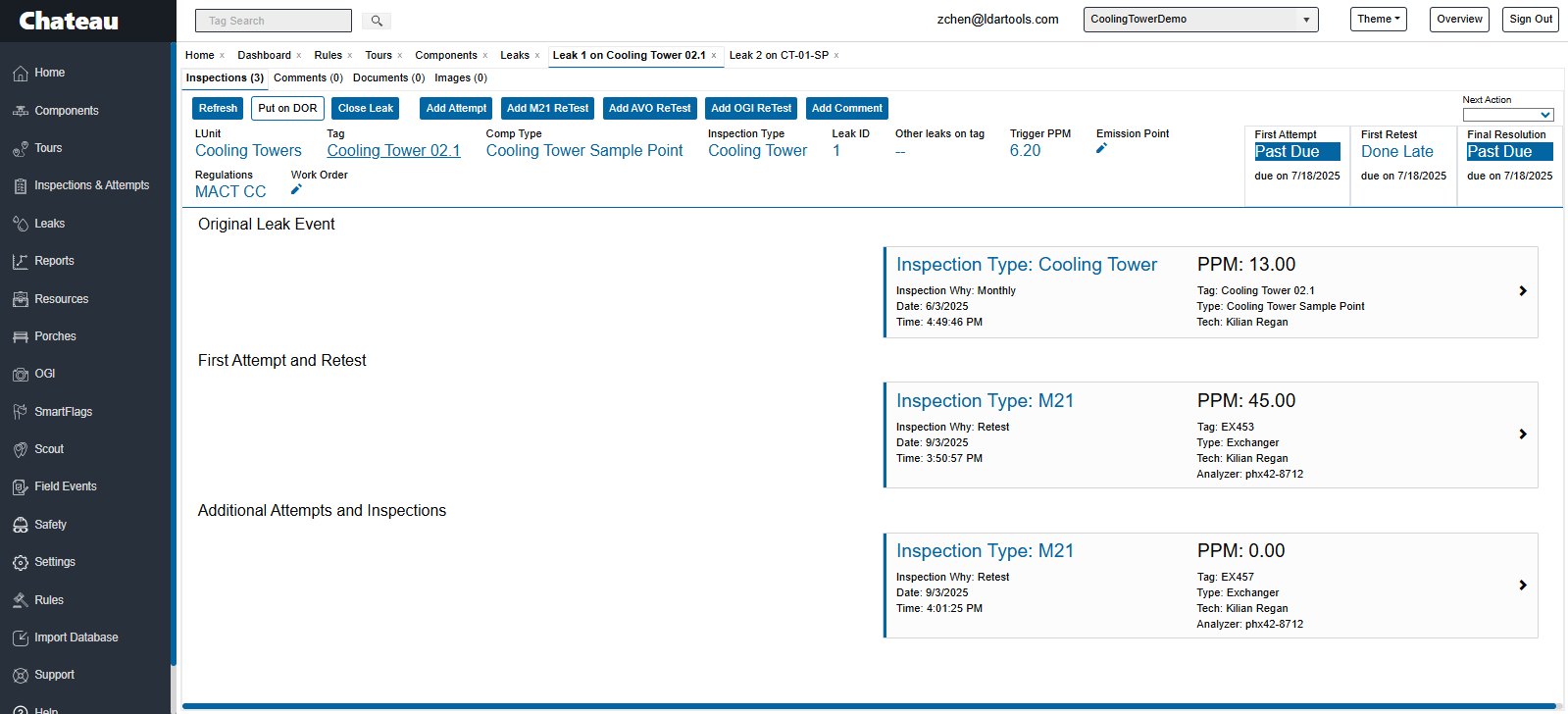
Back in Chateau, the successful Sample Point inspection will automatically Close the leak record.
- Review the Leak Record:
- Go to the Leaks grid and open the Cooling Tower Sample Point leak.
- You will see the initial failure, the Exchanger investigation, the Exchanger verification, and the final passing Sample Point inspection all linked.
- Delay of Repair (DOR):
- If the Exchanger cannot be repaired (e.g., requires a shutdown) or the verification failed:
- Select the leak in the Leaks grid.
- Click Plan DOR and complete the standard DOR workflow.