Building Cooling Tower Tours
Published: 2026-02-17 Revised: 2026-02-17
Overview
Only Cooling Tower Sample Points are scheduled for routine inspections. However, you should also build tours for Exchangers to ensure technicians can quickly inspect them if a leak is found on the sample point.
Step 1: Build Tour for Sample Points
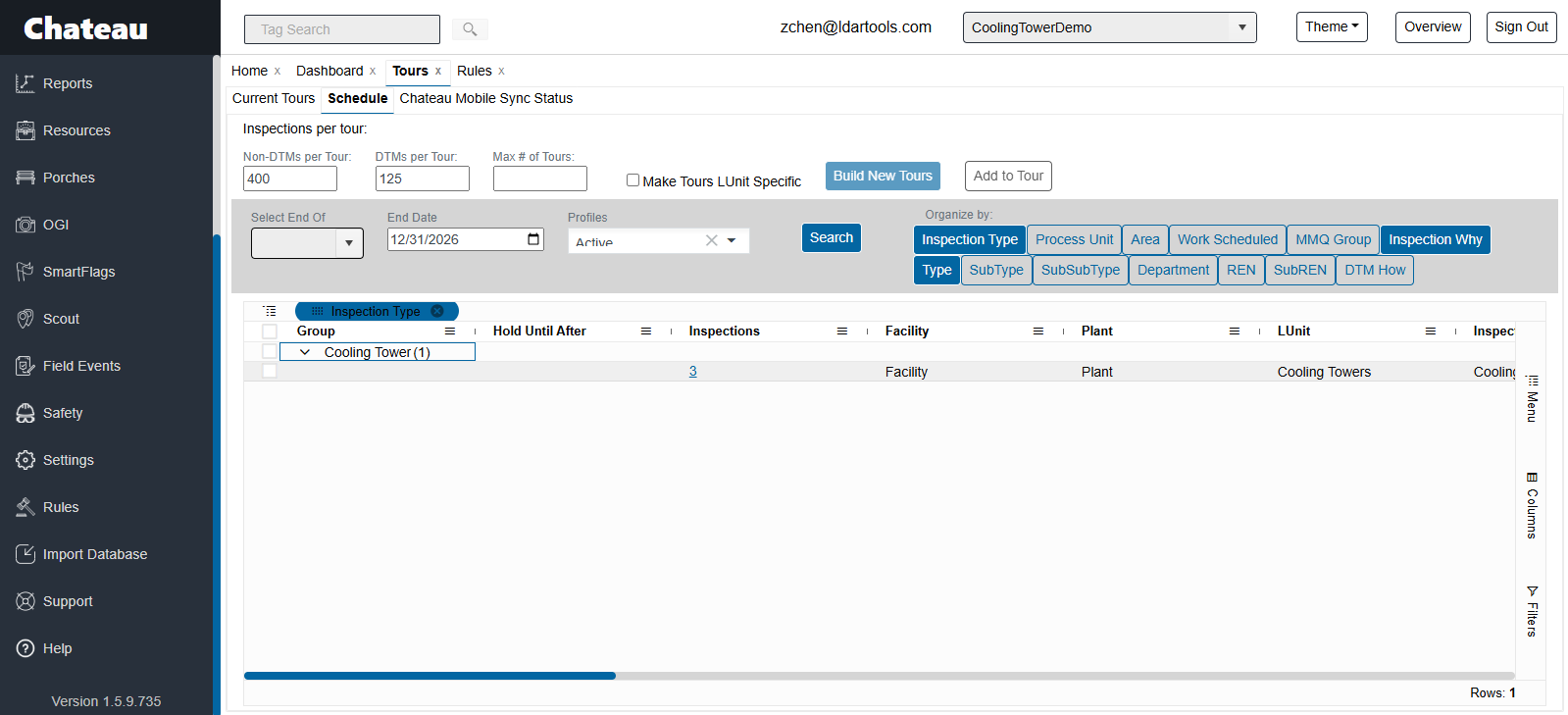
- Open the Schedule.
- Filter the grid: Set Inspection Type = Cooling Tower.
- Pro Tip: Uncheck Make Tours LUnit Specific to group sample points from the entire facility into a single tour.
- Select the desired rows and click Build New Tour.
- Go to the Current Tours sub-tab and assign it to a technician.
Step 2: The Exchanger Strategy
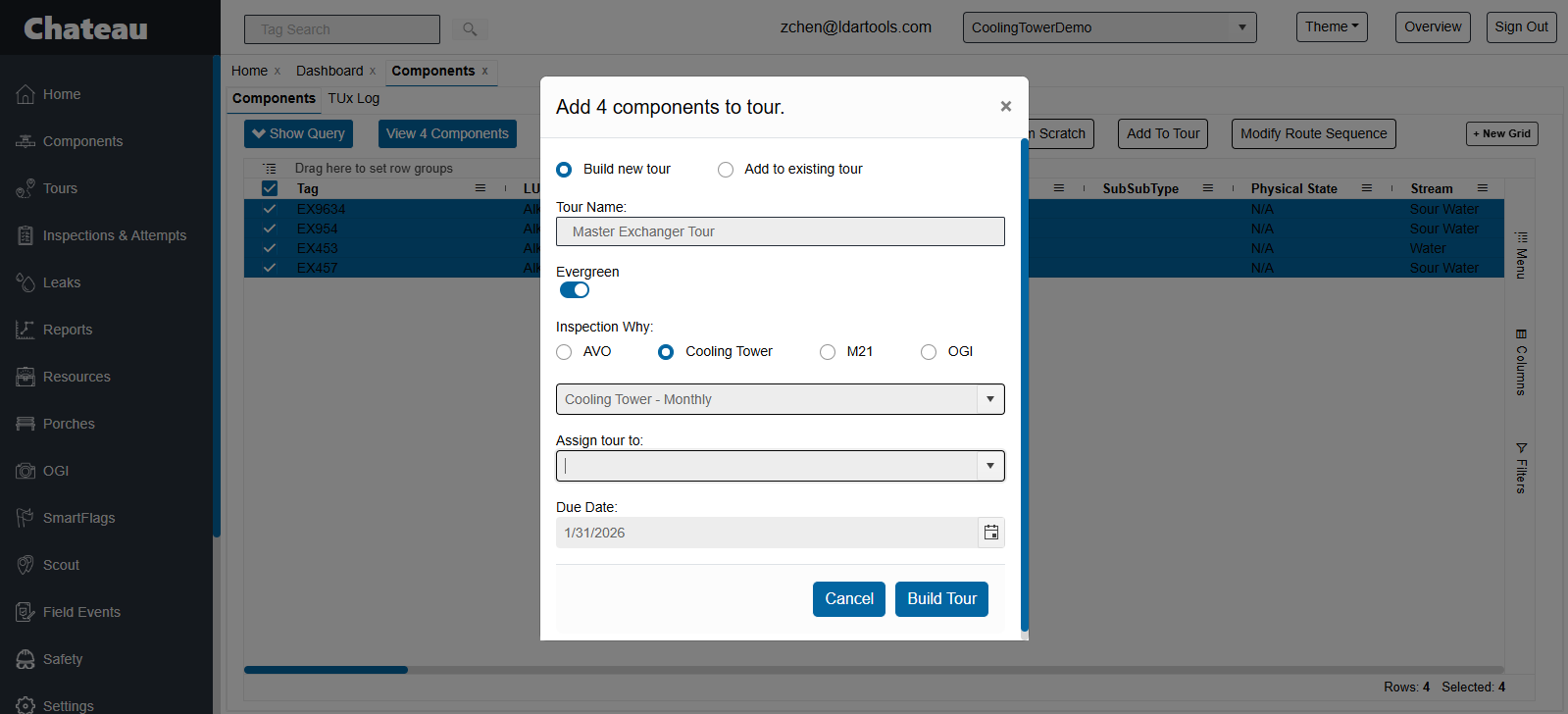
Technicians need Exchangers loaded on their handhelds to trace leaks. You have two options:
Option A: Preemptive Assignment
- Create a "Master Exchanger Tour" containing ALL facility exchangers.
- Assign this to your cooling tower technician.
- Benefit: If a leak is found, the data is already on the device, allowing immediate investigation.
Option B: Reactive Assignment
- Wait until a Sample Point leaks.
- Go to the Component grid, filter for Type = Exchanger, and select the specific exchangers associated with the leaking sample point.
- Click Add to Tour, select M21 with Inspection Why = Retest, and assign it to the technician.
- Drawback: The technician must sync their device to receive the new tour before they can inspect the exchangers.